

How to Log in to Exantria with OTP

Share
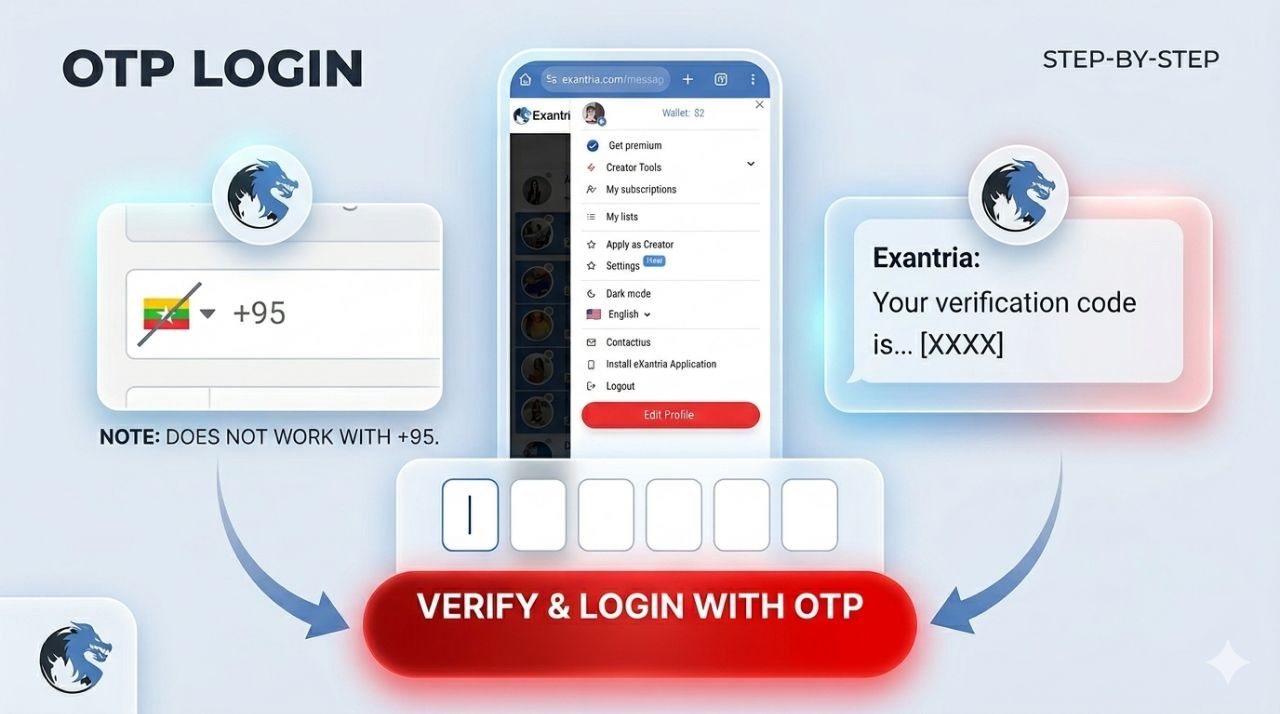
Exantria is a platform where you can engage exclusively with top social media influencers, digital trendsetters, and lifestyle models.One of the fastest and most secure ways to access your account is Login with OTP (One-Time Password). It sends a 6-digit code to your phone, so you don’t need to remember your password.Here is a step-by-step guide on how to set it up and use it.
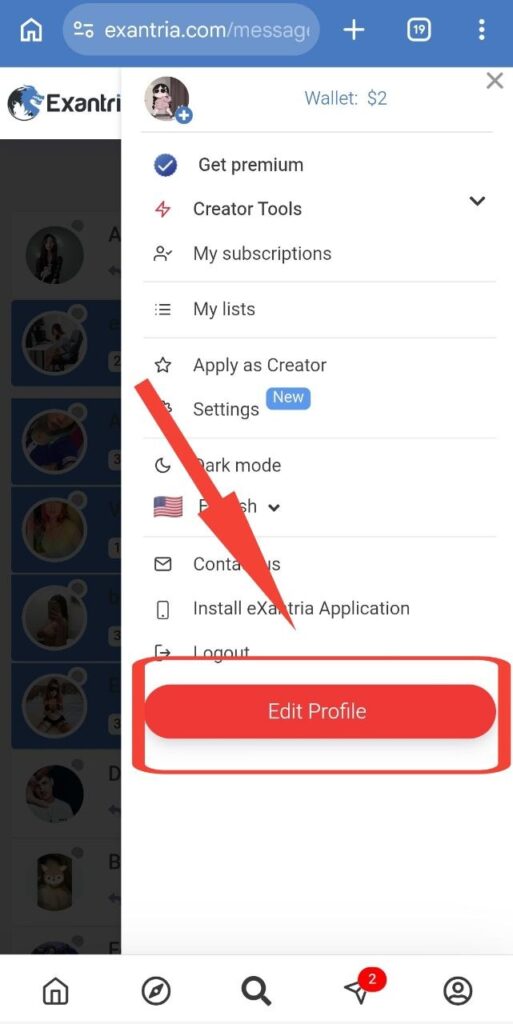
Step 1: Navigate to Edit Profile
First, open your Exantria account menu and click on the prominent red “Edit Profile” button located at the bottom.
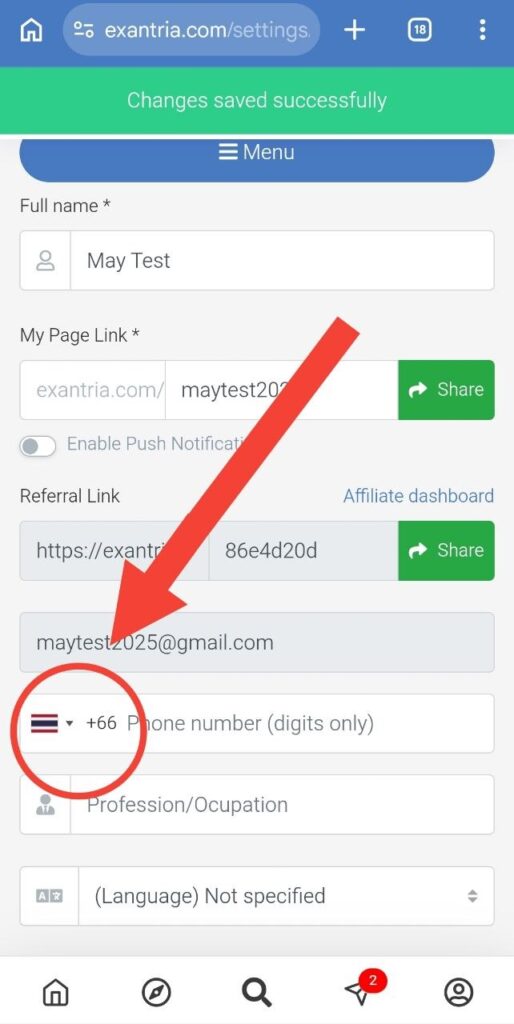
Step 2: Add Your Phone Number
Once you are on the Edit Profile page, scroll down to find the phone number field. Choose your country code and enter your active phone number.
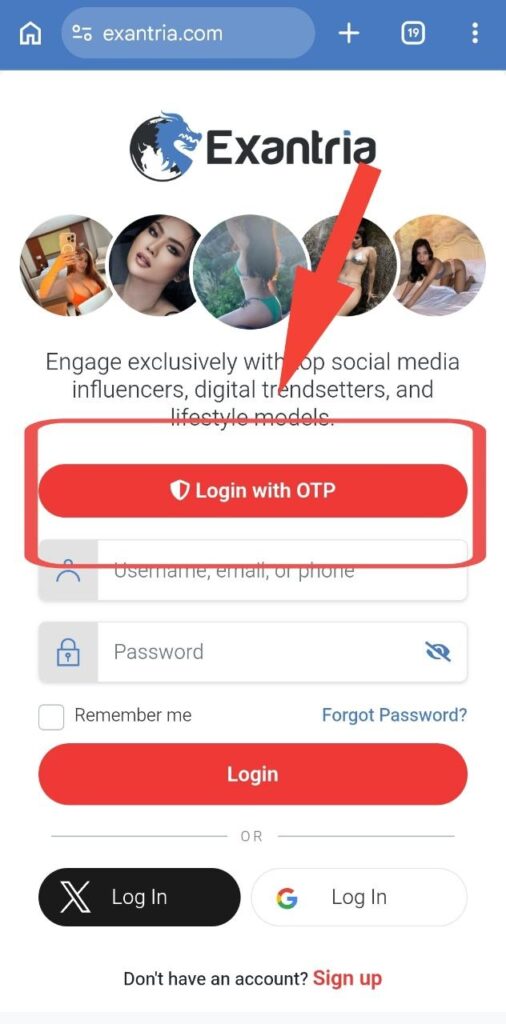
Step 3: Choose Login with OTP
The next time you need to access your account, go to the login page and click the red “Login with OTP” button positioned right above the standard credential fields.
Step 4: Await the Verification Code
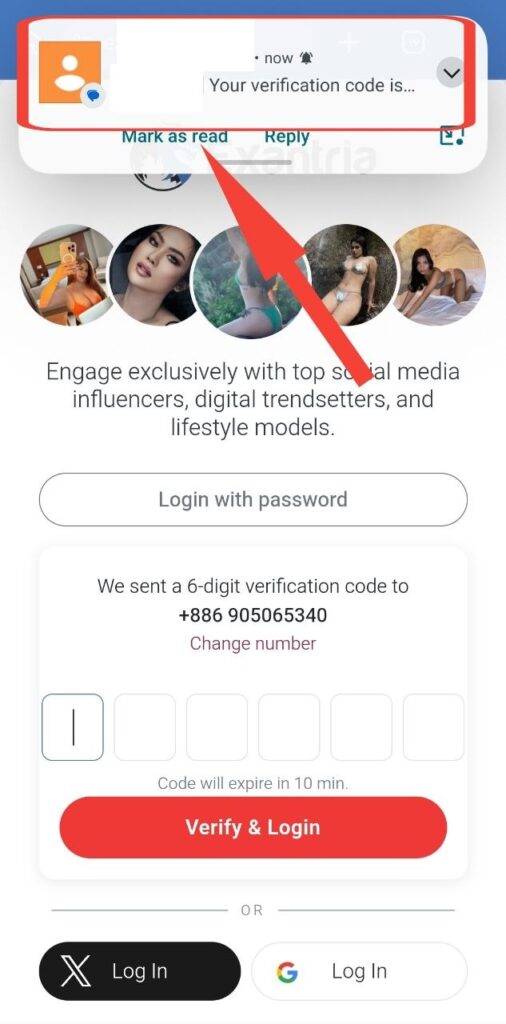
The system will attempt to send a 6-digit verification code to your registered mobile number. You will have a 10-minute window to enter this code. (If you change your mind, you can always click “Login with password” to switch back).
Step 5: Receive Code and Verify
Check your phone’s messaging application. You should receive a notification containing your unique Exantria verification code. Type the 6 digits into the provided boxes on the screen and click “Verify & Login” to successfully enter your account.
⚠️ Important Note for Myanmar Users:
Currently, this OTP login system does not work with Myanmar phone numbers (+95). If you attempt to connect a Myanmar number, you may experience issues such as the verification code failing to arrive or system errors. It functions normally for other international phone numbers.